
If you’ve ever managed a team, you already know this feeling.
Tasks are scattered across WhatsApp messages, deadlines are forgotten in email threads, and nobody is fully sure who is doing what. Projects start strong but slowly turn into confusion. Productivity drops, stress increases, and progress becomes hard to track.
This is exactly where project management tools step in.
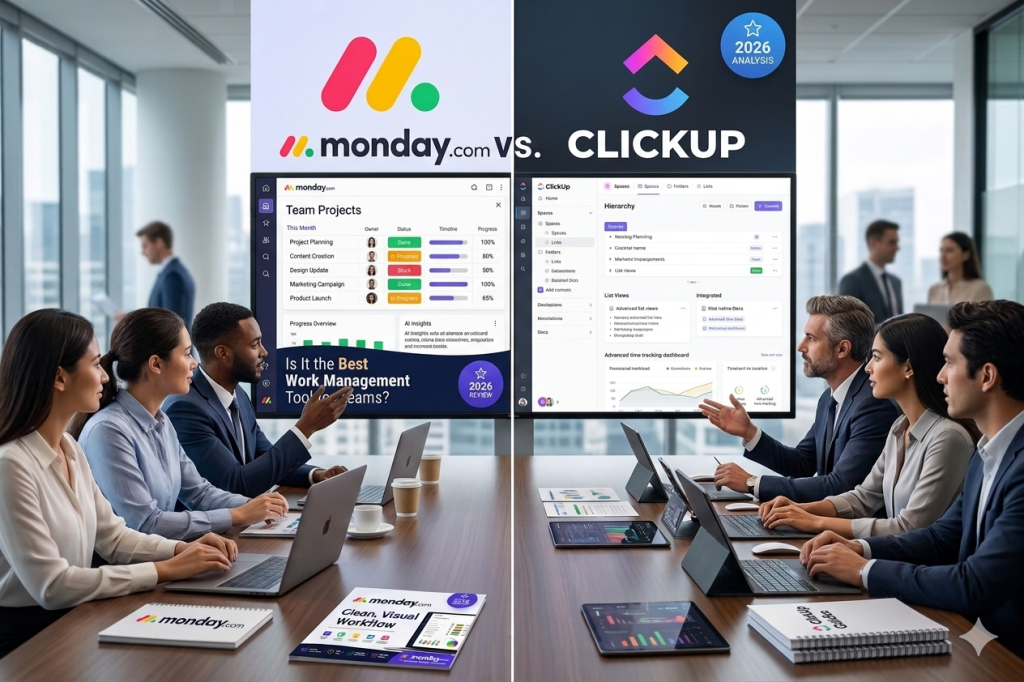
Among the most popular solutions today are monday.com and ClickUp two platforms that promise to bring order to chaos and help teams work smarter, not harder.
In this detailed monday.com review, we will not only explore monday.com in depth but also compare it directly with ClickUp to help you understand which tool actually fits your workflow in 2026.
Both tools are powerful, but they are built differently. One focuses on simplicity and visual clarity, while the other focuses on maximum customization and all-in-one functionality.
So the real question is simple:
Do you want a tool that makes work easier to see or a tool that does everything but takes time to master?
Let’s break it down.
What is monday.com?
monday.com is a cloud-based Work Operating System (Work OS) designed to help teams plan, track, and deliver projects in a highly visual way.
Instead of using complicated systems, monday.com uses simple building blocks:
- Boards (projects)
- Columns (data fields)
- Items (tasks)
This makes it extremely easy to understand even for beginners.
Who is monday.com for?
- Marketing teams
- Agencies
- Operations managers
- Small to mid-size businesses
- Remote teams needing structure
If you’ve ever struggled with messy spreadsheets or disconnected tools, monday.com feels like a breath of fresh air.
Key Features of monday.com
A strong monday.com review always comes down to features and this is where the platform shines.
1. Task Management
Tasks are organized into boards that look like spreadsheets but behave like smart workflows.
You can:
- Assign tasks
- Set deadlines
- Add priorities
- Track progress visually
Everything is clear at a glance.
2. Project Tracking
You can view your projects in multiple formats:
- Kanban boards
- Timeline (Gantt-style)
- Calendar view
- Workload view
This flexibility helps managers understand progress instantly.
3. Automation
One of the biggest time-savers in monday.com.
You can automate actions like:
- When a task is completed → notify team
- When deadline is near → send reminder
- When status changes → move task automatically
This reduces manual work and prevents mistakes.
4. Dashboards
Dashboards bring all project data into one place.
You can track:
- Team performance
- Project progress
- Budget tracking
- Deadlines
It turns raw data into simple visuals.
5. Collaboration Tools
Team communication is built into each task:
- Comments
- File sharing
- Mentions (@)
- Activity logs
No more switching between apps.
How monday.com Works (Step-by-Step)
Understanding how monday.com works is key in this monday.com review.
Step 1: Onboarding
After signing up, monday.com asks what you want to manage:
- Marketing
- Projects
- CRM
- Operations
It then suggests templates based on your needs.
Step 2: Creating Boards
You create a board for each project.
Example: “Website Launch Project”
Inside the board, you add tasks like:
- Design homepage
- Write content
- Test website
- Go live
Step 3: Managing Workflows
Each task can be customized with:
- Status (To Do, Doing, Done)
- Priority
- Deadline
- Assigned team member
You can also automate steps so work moves smoothly without manual updates.
Pros and Cons of monday.com
Pros
- Very easy to use
- Beautiful and clean interface
- Strong automation features
- Excellent for visual project tracking
- Great for team collaboration
Cons
- Can become expensive for large teams
- Some advanced features are locked behind higher plans
- Less flexible than ClickUp in customization
Pricing Breakdown
monday.com offers several pricing tiers:
Basic Plan
- Simple task management
- Limited features
- Good for individuals or small teams
Standard Plan
- Timeline and calendar views
- Basic automation
- Better collaboration tools
Pro Plan
- Advanced dashboards
- Time tracking
- More automation options
Enterprise Plan
- Security features
- Advanced reporting
- Custom onboarding and support
In most monday.com review comparisons, the Pro plan is considered the sweet spot for growing teams.
Who Should Use monday.com?
monday.com is not for everyone but it is perfect for specific users:
Small Businesses
If you want structure without complexity, this is ideal.
Agencies
Perfect for managing multiple clients and campaigns.
Remote Teams
Great visibility across different locations and time zones.
Freelancers
Useful if you manage multiple clients and deadlines.
monday.com vs Competitors
To complete this monday.com review, let’s compare it briefly with other tools.
monday.com vs Trello
- Trello is simpler
- monday.com is more powerful and structured
monday.com vs Asana
- Asana is task-focused
- monday.com is more visual and flexible
monday.com vs ClickUp
- ClickUp offers more features and customization
- monday.com is easier and more intuitive
In short:
- ClickUp = Power & complexity
- monday.com = Simplicity & clarity
Real Use Case Examples
1. Marketing Team
A marketing agency uses monday.com to manage campaigns:
- Content calendar
- Ad scheduling
- Social media planning
Everything is visible in one dashboard.
2. Project Manager
A project manager tracks development tasks:
- Assigns developers
- Tracks bugs
- Monitors deadlines
No task slips through the cracks.
3. Freelancer Workflow
A freelancer uses monday.com for clients:
- Each client = one board
- Tasks = deliverables
- Deadlines = automated reminders
It feels like having a personal assistant.
Final Verdict: Is monday.com Worth It in 2026?
After this full monday.com review, the conclusion is simple:
monday.com is one of the best project management tools if your goal is clarity, structure, and ease of use.
It shines in:
- Visual project tracking
- Team collaboration
- Automation for repetitive tasks
But it may not be the best fit if:
- You need deep customization
- You want an all-in-one “everything app”
- You prefer a more technical workflow system like ClickUp
So who wins: monday.com vs ClickUp?
- Choose monday.com if you want simplicity, speed, and visual control.
- Choose ClickUp if you want maximum features and flexibility.