
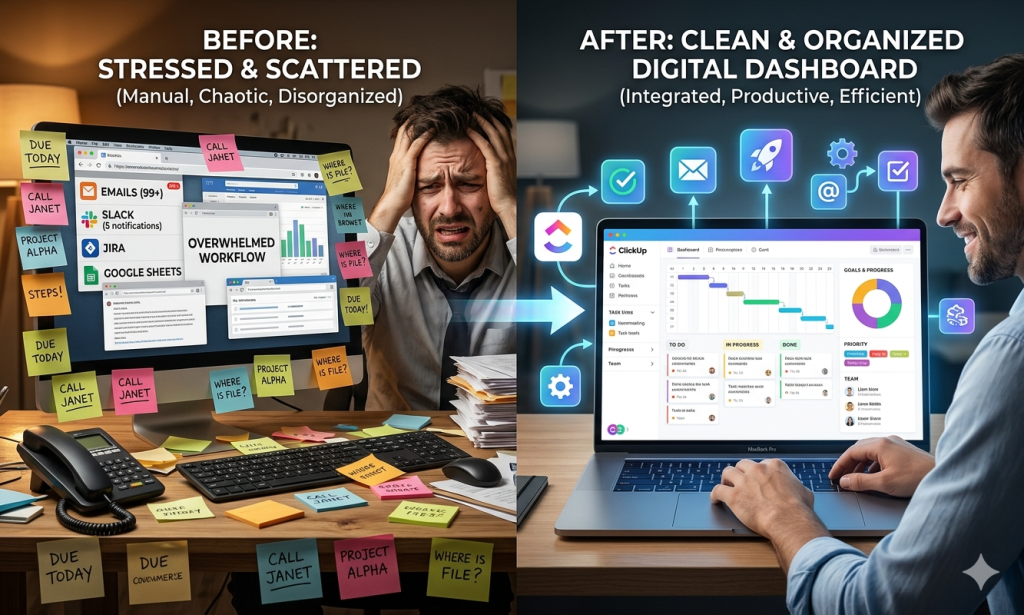
In 2026, more businesses are searching for ClickUp solutions as they move away from using multiple tools and switch to all-in-one productivity platforms.
Most teams today struggle with:
Scattered tasks
Missed deadlines
Poor communication
Expensive software subscriptions
ClickUp solves these problems by combining everything into one powerful platform.
In this article, you will learn the main reasons teams are switching to ClickUp and why it is becoming one of the most popular productivity tools.
1. Everything in One Platform
One of the biggest reasons teams switch to ClickUp is that it replaces multiple tools.
Instead of using separate apps for:
Tasks
Documents
Chat
Project tracking
ClickUp combines them into one system.
This reduces confusion and saves time.
2. Better Task Organization
ClickUp allows teams to organize work clearly using:
Workspaces
Folders
Lists
Tasks
Subtasks
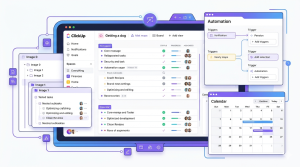
This structure makes it easy to manage even large and complex projects without losing control.
3. Multiple Views for Every Workflow
Different teams work differently, so ClickUp offers flexible views:
List View for simple tracking
Board View for Kanban workflows
Calendar View for deadlines
Gantt View for timelines
This helps teams visualize work in the way they prefer.
4. Powerful Collaboration Features
ClickUp improves communication inside teams by offering:
Task comments
Mentions (@team members)
File sharing
Real-time updates
This reduces the need for long email chains or external chat tools.
5. Automation Saves Time
ClickUp allows teams to automate repetitive tasks like:
Assigning tasks automatically
Changing statuses
Sending reminders
This reduces manual work and improves efficiency.
6. ClickUp Improves Remote Team Productivity
One of the biggest reasons ClickUp is growing in 2026 is its impact on remote teams.
As remote and hybrid work becomes the norm, teams need better ways to stay connected and productive.
ClickUp helps remote teams by:
Centralizing all tasks in one place
Allowing real-time collaboration
Supporting asynchronous work across time zones
Improving visibility for managers
Team members can work at different times without slowing down progress. Managers can also easily track what everyone is doing without constant meetings.
This balance between flexibility and control makes ClickUp ideal for distributed teams.
7. Cost-Effective Solution
Many companies switch to ClickUp because it reduces software costs.
Instead of paying for:
Project management tools
Note-taking apps
Time tracking tools

ClickUp replaces them all with one subscription or even a free plan.
How ClickUp Helps Businesses Scale Faster
Another important reason teams switch to ClickUp is its ability to support business growth. As companies grow, managing more projects, clients, and team members becomes difficult without a structured system.
ClickUp solves this by offering a scalable workspace that grows with your business.
Small teams can start with simple task lists, while larger organizations can build complex workflows with multiple departments. This flexibility means businesses do not need to change tools as they expand.
ClickUp also improves visibility across teams. Managers can easily track progress, assign responsibilities, and monitor deadlines without needing constant meetings or manual updates. This saves time and improves decision-making.
Another major benefit is standardization. Teams can create templates for recurring tasks and processes, ensuring consistency across projects. This is especially useful for agencies, marketing teams, and remote organizations.
Overall, ClickUp helps businesses stay organized, efficient, and ready for growth, making it a strong long-term productivity solution.
Final Verdict
ClickUp is not just another productivity tool it is a complete system designed to replace fragmented workflows.
The main reason teams switch is simple: it makes work easier, faster, and more organized.
If your team is struggling with multiple tools and confusion, ClickUp is worth trying.
👉 Learn more:
Full ClickUp guide: ClickUp Review
Tool comparison: ClickUp vs Monday vs Asana